Music Cue Sheet Uploader
Adobe Premiere Pro-plugin
This plugin helps film editors easily prepare edits for the music cue sheet process, eliminating the need to exchange XMLs or EDLs from Premiere Pro. The plugin allows to quickly filter music by generating a list of active tracks or by using one of the many filter options. The generated list can be previewed, adjusted, and uploaded to an EditingTools.io account with one click using an API key. Then, the cue sheet can be processed further in the EditingTools.io Cue Sheet Manager by automatically adding metadata from production music libraries and exporting it in various file formats.

Funksjoner
- Simple functions to create a list
- Many filter and search functions
- Merge multiple clips into one entry
- Merge overlapping clips
- Merge through-edits
- Option to list only selected tracks
- Upload with one click to Cue Sheet Manager
for Adobe Premiere Pro CC 2022+
For Windows and MacOS.
This is a free, light version of our Listify plugin for Premiere Pro and focuses only on audio clips.
This plugin requires an API key, which can be created for free in your user account editingtools.io/account/api/.
This plugin is also available for download from the official Adobe Exchange Store.
Main Features
Find & Filter
Filtering allows you to search using specific criteria, such as clip or file name, as well as other criteria. You can add multiple criteria and save them as presets for quick access.
Track Selection and Clip Merging
The plugin can be set to search only selected audio tracks. You can choose to include or exclude disabled clips, as well as merge overlapping clips into a single entry. This gives you the ultimate control over which clips are included in the list.
Jump to Clips
Finding a clip in the current edit is as easy as clicking on an item in the generated list. The cursor will then jump to the clip's position.
Upload to EditingTools.io
With one click, the list can be uploaded to the Music Cue Sheet Manager on EditingTools.io, where additional metadata can easily be added.
Find metadata from production music libraries
With our Cue Sheet Manager, it's easy to retrieve track metadata from our partner production music libraries.






















How to start?
I. Installation
- Download the latest version of the plugin from EditingTools.io.
- Make sure to close Adobe Premiere Pro before installing the plugin.
- Run the .pkg installer for macOS or the .exe installer for Windows. You can also install the extension using the ZXP file. This method requires a ZXP installer.
- Open Adobe Premiere Pro, then open the Plugin Panel from the main menu by selecting "Window > Extensions > Music Cue Sheet Uploader."

II. Create the first list
- Open your film sequence in Premiere Pro.
- Click "Generate" in the plugin panel to get a preview of your project. Click on any entry to jump to that position in your timeline.
- To clean up multiple cuts, check the "Options > Merge through edits" and "Options > Merge overlapping edits" boxes.
- Press "Generate" to refresh the list.

III. Refine the results
- You can also limit the list to active tracks only. This makes cleaning up the results easy, especially when working with a clean sequence with music on only two or three tracks. Select "Options > Targeted Tracks" and check all the tracks containing music. This way, the plugin will ignore all the irrelevant audio tracks.
- Press "Generate" to refresh the list.

IV. Filter results
- If you want to take it a step further, you can create filters. For example, you can create a filter to show only tracks containing predefined letters in the filename. For example, you can filter all tracks from APM Music by adding a filter searching for "apm" in the filename.
- Press "Generate" to refresh the list.

V. Connect the plugin to your account
- Open editingtools.io/account/api/ and create an API Key. Make sure it has the rights for the "Music Cue Sheet Manager". You can also use the API Key from another person that wants to receive your cue sheet.
- Copy & past the API Key into the API Key field. The key will be stored for future use.
- Enter a project name and click on "Upload" to upload the project into the "Music Cue Sheet Manager".

VI. Add metadata and complete the cue sheet
- Open your profile to view all your cue sheet projects. Select and open the newly uploaded project.
- In the Music Cue Sheet Manager, you can add metadata by clicking on "Scan Libraries" and edit project and track details.
- Once you have finished, you can export the cue sheet document in Excel, CSV, and many other formats. The tool also provides presets, such as CISAC, to generate cue sheets in standard formats.

Are you looking for more features?
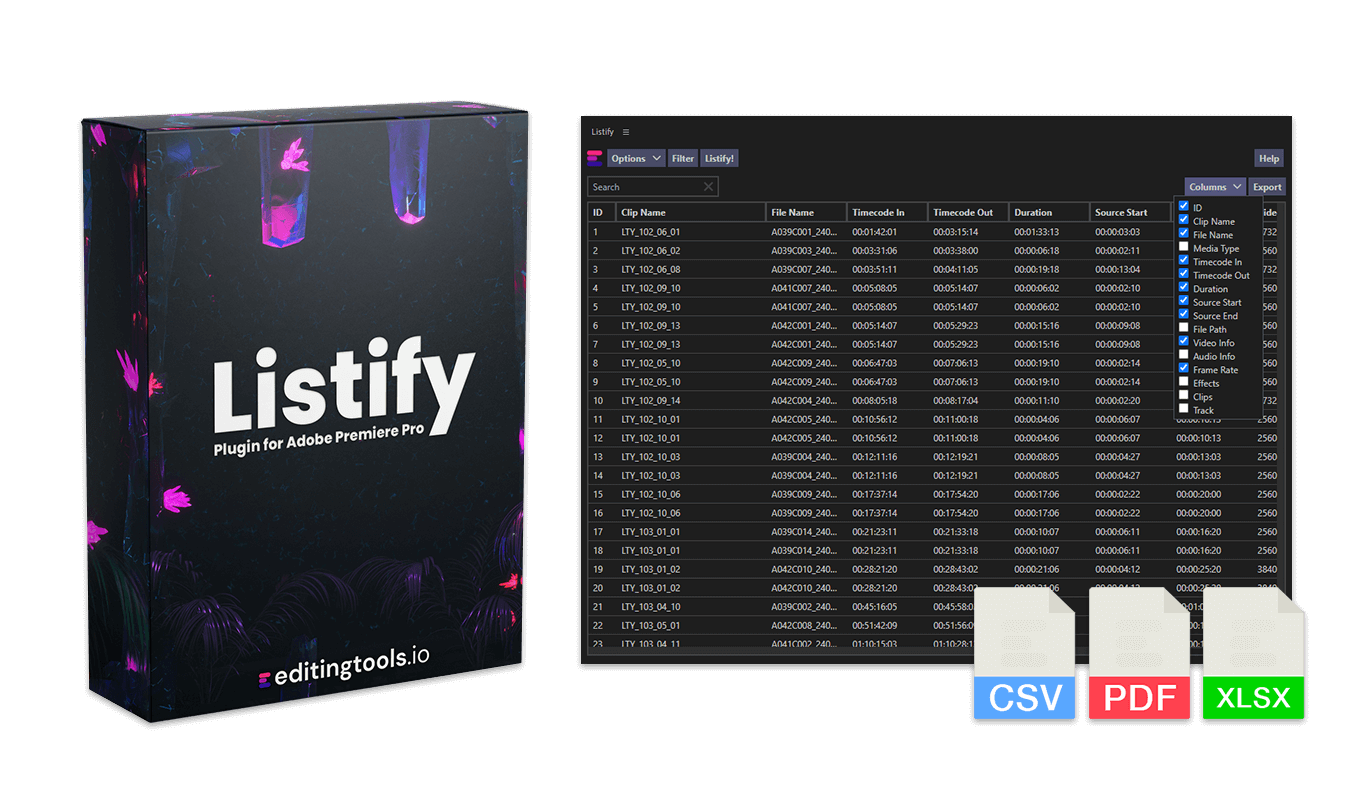
Our "Listify" plugin for Adobe Premiere Pro offers all the above features and even more:
- It also works with video tracks.
- Export CSV, PDF, and Excel files directly from Adobe Premiere Pro.
- Search and filter video clips.
- Copy the list table directly to the clipboard.
- Export thumbnails

Automatiser arbeidsflyten din med API-et vårt
Enten du er utvikler eller bare ønsker å automatisere flere prosesser med verktøy som Zapier eller Make, kan du enkelt integrere dette verktøyet i arbeidsflyten din med API-et vårt. Finn ut mer om hvordan du integrerer REST API i API-dokumentasjonen vår.
If you are working for a platform that offers cue sheet services, let us know and we can integrate your platform into the plugin as well.
API-dokumentasjonStøtte
Hvis du har spørsmål eller ønsker om funksjoner, kan du kontakte kundestøtteteamet vårt. Vi hjelper deg gjerne!
VANLIGE SPØRSMÅL
Close Adobe Premiere Pro before installing the plugin. You can then run the .pkg installer for MacOS or the .exe installer for Windows. It is also possible to install the extension using the ZXP file. This requires the ZXP installer.
If you already have the plugin installed and want to install a new version of the plugin, you can simply run the new installer. It is not necessary to uninstall the old version, the new one will overwrite everything.
You can activate the plugin panel in Premiere Pro menu under "Window > Extensions > Music Cue Sheet Uploader".
Yes, the plugin can be started without a network connection. However, you need an internet connection and a free EditingTools.io account to use the "Upload to EditingTools.io" feature.
No, your data will remain on your machine.
Yes. The plugin was designed to support all types of projects, including highly restricted productions with signed NDAs. It will not share any data with devices other than your own.
However, if you decide to use the "Upload to EditingTools.io" feature, the metadata from the collected list will be uploaded to your personal EditingTools.io account.
Close and reopen the panel. This should reload the plugin and solve the problem. If that doesn't work, try restarting Premiere Pro or reinstalling the latest plugin update.
Vi har testet det på Premiere Pro 2021, 2022 og 2023. Eldre versjoner kan også fungere, men vi kan ikke garantere det for øyeblikket. Hvis du bruker en eldre versjon av Premiere Pro, kan du gjerne fortelle oss hvordan du opplever det.
Programtillegget er skrevet for Windows 10 og MacOS 12 (Montery). Dette utelukker foreløpig ikke andre versjoner, men vi kan ikke utelukke prøveproblemer ved bruk med eldre versjoner. Hvis du bruker et eldre operativsystem, vennligst gi oss beskjed om hvordan du opplever det.
If you need a new feature, option, or customized version of the plugin, please send us a message. We offer custom solutions for businesses.
On Windows the extension can be easily uninstalled under "Add/Remove Programs".
On MacOS the extension can be easily uninstalled by deleting the folder "/Library/Application Support/Adobe/CEP/extensions/Music Cue Sheet Uploader
Tags
API Music Free Download Free Tools Adobe Premiere Pro Plugins for Premiere Pro Tools for Audio Workflows

Optimize film editing and
post-production workflows.
🇪🇺 Made in Europe
© 2026 EditingTools.io
🇪🇺 Made in Europe
© 2026 EditingTools.io